Features
Agenistrator provides a rich set of features for managing your WordPress site through natural language.
Chat Interface
The chat widget is available on every WordPress admin page:
- Persistent Window - Stays open as you navigate
- Real-time Streaming - See responses as they’re generated
- Stop Button - Cancel mid-response if needed
- Multi-tab Sync - Chat state synchronizes across browser tabs
Tool System
Agenistrator includes 100+ built-in tools organized by category:
| Category | Examples |
|---|---|
| Content | Create posts, edit pages, manage media |
| Users | List users, create accounts, manage roles |
| Plugins | Install, activate, deactivate, update |
| Themes | Switch themes, customize settings |
| Menus | Create menus, add items, assign locations |
| Settings | Read and update WordPress options |
| System | Database queries, file operations, PHP info |
Tool Safety
Tools are classified by their side effects:
- Read-only Tools - Cannot modify data (enabled by default)
- Read-Write Tools - Can create/modify/delete (disabled by default)
You must explicitly enable read-write tools in Settings before the LLM can use them.
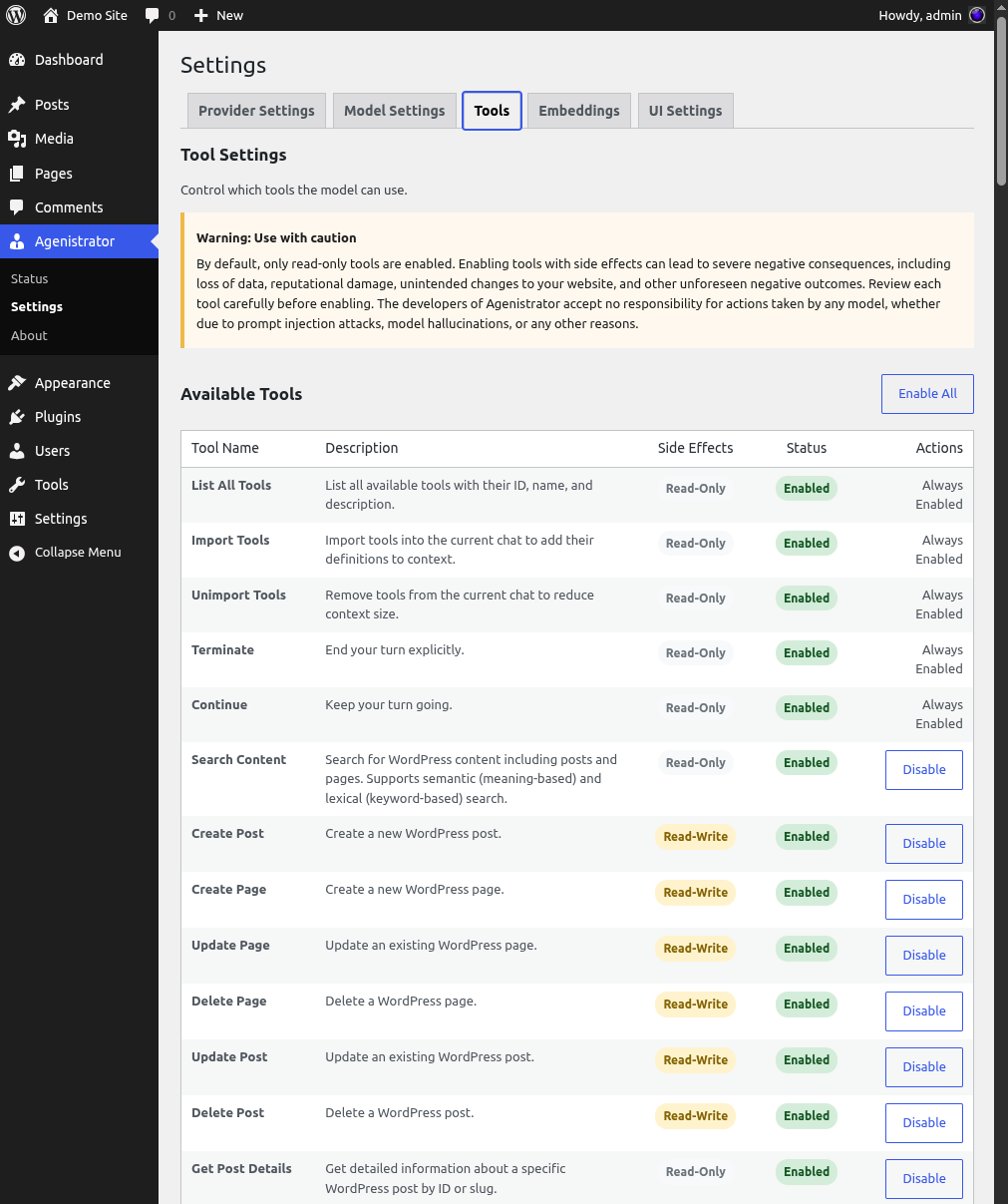
Tool management interface showing read-only and read-write tools with enable/disable controls
Dynamic Tool Import
Agenistrator starts with a small set of tools and dynamically imports more as needed. This:
- Keeps context size manageable
- Reduces token costs
- Allows the LLM to find relevant tools on demand
Semantic Search (Optional)
When enabled, semantic search lets you find content by meaning:
- “Find posts about customer complaints” - Works even if “complaints” isn’t in the text
- Uses vector embeddings stored in your database
- Requires MySQL 5.7.8+ with JSON support
- Additional API costs for generating embeddings
Enabling Semantic Search
- Go to Agenistrator → Settings → LLM
- Select an Embedding Model
- Go to Embeddings tab
- Click Sync Embeddings
- Wait for background processing to complete
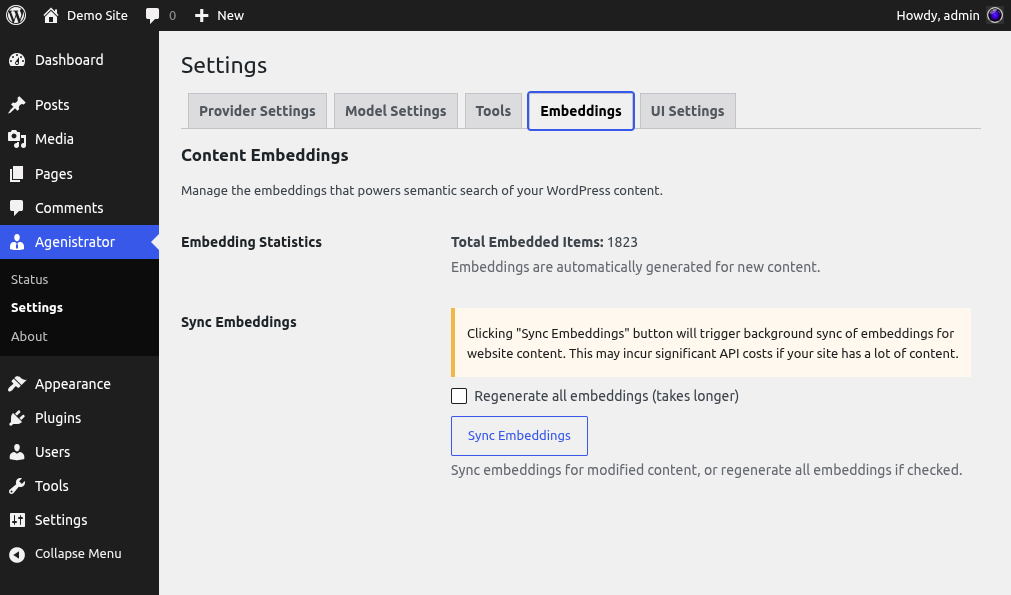
Embeddings management for semantic search with sync controls
Semantic search is optional. Lexical (keyword) search always works.
Permissions
Agenistrator respects WordPress capabilities:
- Only administrators can access the chat
- Super admin required for network operations on multisite
- Tools check capabilities before executing
DISALLOW_FILE_MODSandDISALLOW_FILE_EDITare respected
Privacy & Security
- Data Storage - All data stored in your WordPress database
- API Calls - Only sent to providers you configure
- No Telemetry - Plugin doesn’t phone home (except when user submits a diagnostic report in chat widget)
Context Management
Agenistrator manages context by automatically pruning old messages when context window fills up according to to token counts from tiktoken.